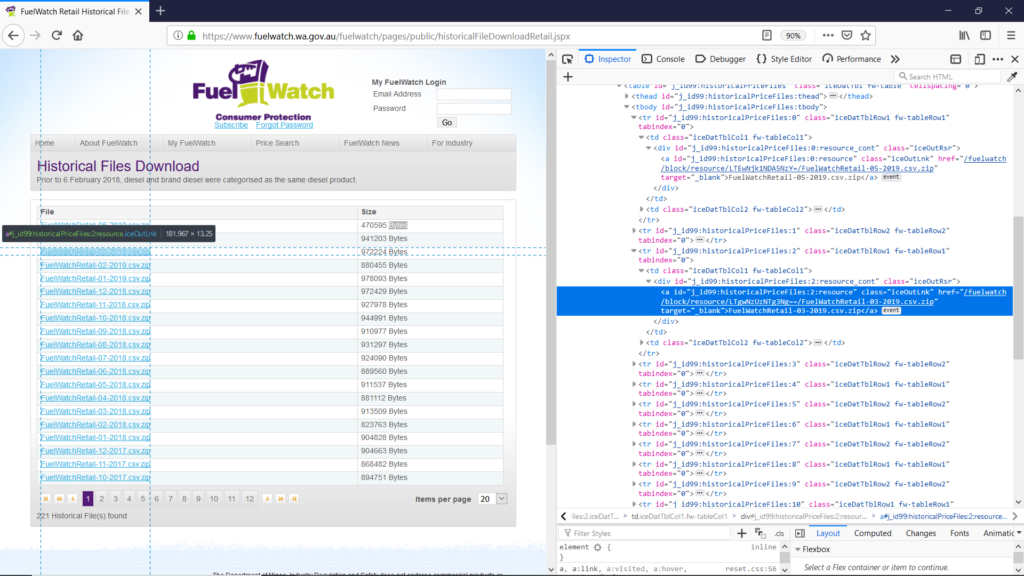
By looping on the id names it would be quite easy to automatically download all the desired zip files.
In my python program I used Selenium an open-source web-based automation tool. Note that to use Selenium to scrap the Fuel Watch website via the browser FireFox I had also to download GeckoDriver which is a “proxy for using W3C WebDriver-compatible clients to interact with Gecko-based browsers”.
The python function I wrote, DownloadHistoricalPrices(n) in StatisticsFuel.py, takes as input the number of files to be extracted (starting with the most recent), downloads the zip files from https://www.fuelwatch.wa.gov.au/fuelwatch/pages/public/historicalFileDownloadRetail.jspx, extracts the csv files in the temp folder on my computer, and deletes the zip files.
My own script is in on Github (DownloadHistoricalPrices) at https://github.com/ozivier/FuelWatch.
The results from running DownloadHistoricalPrices(12):